
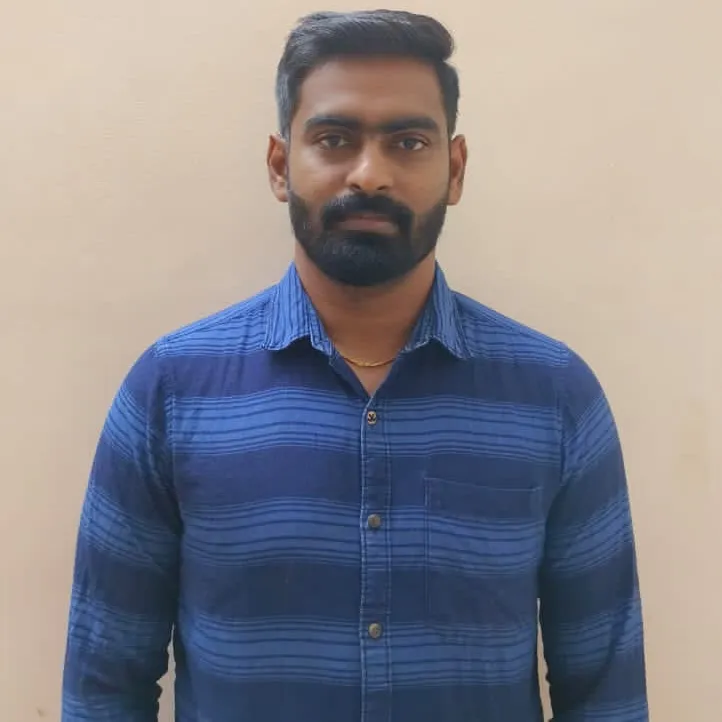
Mahesh Muthusamy
Bangalore/Online
Skills :
About :
Hi Mahesh Muthusamy is an experienced Linux System Administrator and AWS Cloud Specialist with 8+ years of expertise in Linux Administration, RHCSA & RHCE Linux, and AWS Archit…
Hi Mahesh Muthusamy is an experienced Linux System Administrator and AWS Cloud Specialist with 8+ years of expertise in Linux Administration, RHCSA & RHCE Linux, and AWS Architecture & Administration. He specializes in providing real-time, hands-on training designed to prepare learners for roles in Linux server management, AWS and DevOps, and cloud infrastructure engineering.
His training covers everything from Linux operating systems, Linux certification preparation, Linux foundation concepts, and system administration best practices to advanced AWS services such as EC2, S3, VPC, IAM, RDS, and CloudWatch. With a focus on AWS Developer, AWS Certified Solutions Architect, and AWS Certified SysOps roles, Mahesh ensures learners gain industry-recognized skills that are directly applicable in the job market.
Mahesh’s teaching methodology blends practical labs, real-time projects, and scenario-based learning, empowering participants to work confidently in areas such as Linux Administration, AWS Cloud Administration, and DevOps practices. He also provides resume building, interview preparation, mentorship, and lifetime learner support, making him a trusted guide for professionals aspiring to advance their IT careers.
Fluent in Tamil and English, Mahesh is known for simplifying complex Linux and AWS concepts through practical analogies and real-world applications.
Based in Bangalore, Karnataka (India), Mahesh continues to help students and professionals excel as Linux Administrators, AWS Cloud Engineers, and DevOps professionals with the confidence to handle real-world IT challenges.
Mahesh Muthusamy
Bangalore/Online
Skills :
Hi Mahesh Muthusamy is an experienced Linux System Administrator and AWS Cloud Specialist with 8+ years of expertise in Linux Administration, RHCSA & RHCE Linux, and AWS Archit...
Hi Mahesh Muthusamy is an experienced Linux System Administrator and AWS Cloud Specialist with 8+ years of expertise in Linux Administration, RHCSA & RHCE Linux, and AWS Architecture & Administration. He specializes in providing real-time, hands-on training designed to prepare learners for roles in Linux server management, AWS and DevOps, and cloud infrastructure engineering.
His training covers everything from Linux operating systems, Linux certification preparation, Linux foundation concepts, and system administration best practices to advanced AWS services such as EC2, S3, VPC, IAM, RDS, and CloudWatch. With a focus on AWS Developer, AWS Certified Solutions Architect, and AWS Certified SysOps roles, Mahesh ensures learners gain industry-recognized skills that are directly applicable in the job market.
Mahesh’s teaching methodology blends practical labs, real-time projects, and scenario-based learning, empowering participants to work confidently in areas such as Linux Administration, AWS Cloud Administration, and DevOps practices. He also provides resume building, interview preparation, mentorship, and lifetime learner support, making him a trusted guide for professionals aspiring to advance their IT careers.
Fluent in Tamil and English, Mahesh is known for simplifying complex Linux and AWS concepts through practical analogies and real-world applications.
Based in Bangalore, Karnataka (India), Mahesh continues to help students and professionals excel as Linux Administrators, AWS Cloud Engineers, and DevOps professionals with the confidence to handle real-world IT challenges.
FindMyGuru is a tutor discovery platform that helps students find and connect with experienced tutors and institutes across a wide range of subjects and skills. Students can explore tutor profiles, compare expertise, and contact tutors directly for online or in-person learning.FindMyGuru facilitates discovery and connections between students and tutors or institutes. All classes and learning arrangements are handled directly between students and the respective tutors or institutes
Courses by Mahesh Muthusamy
Online and Offline
90 Hour
English, Tamil
Bangalore University Layout, Bangalore, Lakkasandara
On Call
Week Days / Weekends
Red Hat Certified System Administrator
Chapter 1.Linux Server
Why we need Linux
Difference between Linux and Windows
Various Linux Distributions.
Preparing to Install Red Hat Enterprise Linux in Vmware
Performing a Manual Installation
Chapter 2. Using Essential Tools
Basic Shell Skills
Basic commands
Editing Files with vim
Understanding the Shell Environment
Finding Help and Man commands
Chapter 3.Essential File Management Tools
Working with the File System Hierarchy
Managing Files
Using Links
Working with Archives and Compressed Files
Chapter 4.Working with Text Files
Using Common Text File-Related Tools
A Primer to Using Regular Expressions
Using grep to Analyze Text
Working with Other Useful Text Processing Utilities ( grep sed awk)
Chapter 5.How to connect Linux
Working on Local Consoles
Using SSH and Related Utilities
Chapter 6. User and Group Management
Different User Types
Managing User Accounts
Creating and Managing Group Accounts
Logging In Through an External Authentication Service
Chapter 7. Configuring Permissions
Managing File Ownership
Managing Basic Permissions
Managing Advanced Permissions
Managing ACLs
Setting Default Permissions with umask
Chapter 8. Configuring Networking
Networking Fundamentals DNS,Firewall, DHCP, Router, Switch, IP address and usages
Managing Network Addresses and Interfaces
Validating Network Configuration
Configuring Network Configuration with nmtui and nmcli
Setting Up Hostname and Name Resolution
Chapter 9. Managing Processes
Introduction to Process Management
Managing Shell Jobs
Using Common Command-Line Tools for Process Management
Using top to Manage Processes
Chapter 10. Working with Virtual Machines
Understanding RHEL 7 Virtualization
Making Your Server a KVM Host
Managing Virtual Machines
Chapter 11. Managing Software
Managing Software Packages with yum
Using yum
Managing Software Packages with rpm
Chapter 12. Scheduling Tasks
Configuring cron to Automate Recurring Tasks
Configuring at to Schedule Future Tasks
Chapter 13. Configuring Logging
Understanding System Logging
Configuring rsyslogd
Rotating Log Files
Working with journald
Chapter 14. Managing Partitions
Understanding MBR and GPT Partitions
Managing Partitions and File Systems
Mounting File Systems
Chapter 15. Managing PV VG and LVM
Understanding LVM,PV,VG
Creating LVM Logical Volumes
Resizing and Removing LVM
Chapter 16. Basic Kernel Management
Understanding the Role of the Linux Kernel
Working with Kernel Modules
Upgrading the Linux Kernel and Linux system
Chapter 17. Managing and Understanding the Boot Procedure
Understanding the Boot Procedure
Working with Systemd
Working with GRUB 2
Troubleshooting the Boot Procedure
Passing Kernel Boot Arguments
Using a Rescue Disk
Fixing Common Issues
Recovering Access to a Virtual Machine
Chapter 18. Managing SELinux
Understanding SELinux Working and Modes
Understanding Context Settings and the Policy
Restoring Default File Contexts
Using Boolean Settings to Modify SELinux Settings
Chapter 19. Configuring a Firewall
Understanding Linux Firewalling
Working with firewalld
Chapter 20. Configuring Time Services
Understanding Local Time
Using Network Time Protocol
Chapter 21.Configuring a Basic Apache Server
Configuring a Basic Apache Server
Understanding Apache Configuration Files
Creating Apache Virtual Hosts
Chapter 22. Configuring Remote Mounts and FTP
Mounting NFS Shares
Mounting SMB File Systems
Mounting Remote File Systems Through fstab
Using Automount to Mount Remote File Systems
Chapter 23.Trobule shooting
Basic Troubleshooting
Managing storage issue
Network Troubleshooting
Package issue
Kernel issue
Performance issue
Networking basic
IP address
Firewall(hardware/software)
Ports
Protocols
Router
Subnets
DNS
DHCP
TCP/UDP
Networking layer
Switch
TLS and SSL
cookies & cache
AD
CDN
Proxy
VPN
Http/https
Get tutor location
Location: Lakkasandara, Bangalore University Layout, Bangalore
Locate on Google map